+Insights / Creator Marketing
Testing Creator Tracking Links Before a Launch
A practical guide for brand and campaign teams on how to check creator tracking links, mobile destinations, and checkout handoffs before a TikTok launch goes live.
Direct Answer
If you are testing creator tracking links before a launch, do not stop at “does the URL open.” The practical question is whether the entire path works after publication: the link should open on the intended device, land on the correct page, preserve any required parameters, and carry the user through to the final checkout or handoff point.
For TikTok creator campaigns, the launch process often starts with authorization. TikTok says TikTok One supports creator marketing projects, that the workflow includes requesting authorization from creators to Spark their video, and that approved videos can be synced to TikTok Ads Manager and delivered as a Spark ad. Source 2 TikTok also says Spark Ads depend on authorized identities or authorization codes. Source 1 That matters because link testing should happen after the creator identity and ad activation path are clear, not before the team knows which post or identity will be used.
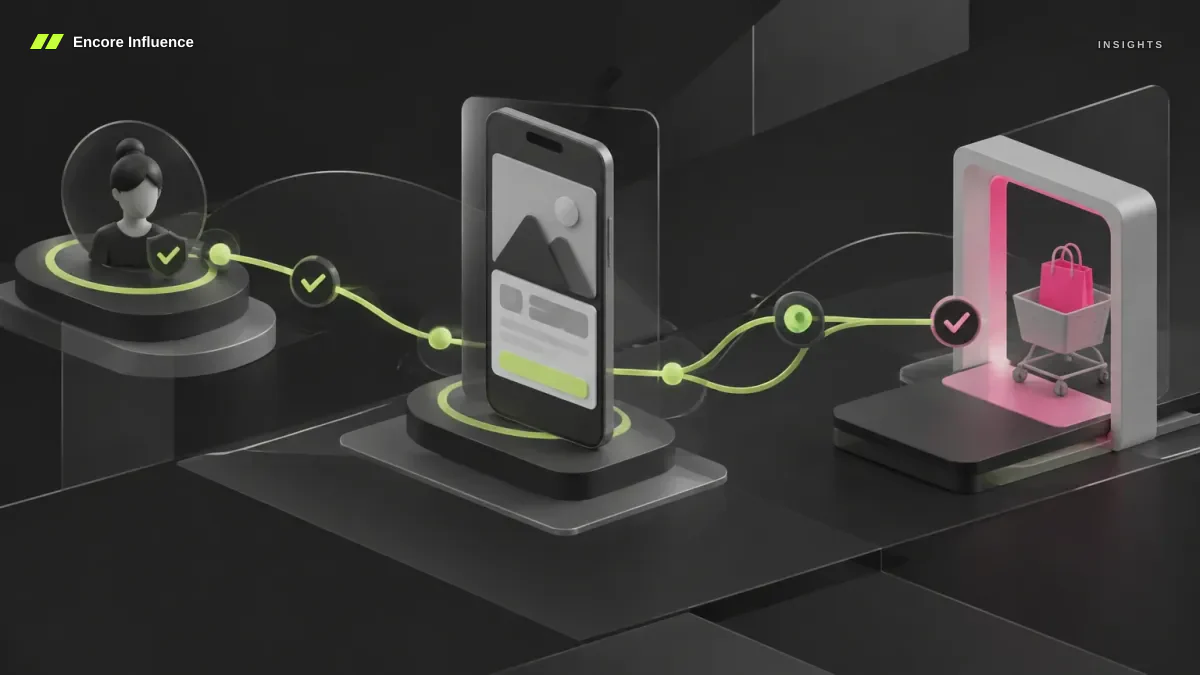
What you should test before launch:
-
Mobile destination behavior
- Open the creator link on the devices your audience actually uses.
- Confirm the page loads correctly, without layout issues, delayed redirects, or broken buttons.
- If the link points to an app install page or mobile storefront, verify that the destination matches the intended country or market experience.
-
Parameter continuity
- Check that the full link includes every tag or parameter your team expects.
- Confirm that the destination does not strip important tracking values during redirects.
- Review the final URL in the browser after the click so you can see whether the destination changed unexpectedly.
-
Checkout handoff
- If the link leads to a product page, cart, or checkout, test the full path to the point where payment details would be entered.
- Make sure product variants, currency display, shipping prompts, and login steps do not break the flow.
- If the journey crosses from a creator post to a brand site or commerce platform, check that the handoff still feels coherent on mobile.
-
Ownership and approval
- Confirm who controls the final destination.
- Confirm who can edit the link after it is shared with the creator.
- Confirm which stakeholder signs off before publication, especially when paid media, commerce, and creator teams are separate.
A simple pre-launch approach is to think in terms of user journey, not just URL formatting. The purpose of testing is to catch the failures that only appear when a real person taps the link from a social post, on a mobile device, under live campaign conditions.
Recommended QA sequence
-
Verify the creator activation path first
- If the campaign uses Spark Ads, confirm that the creator authorization step is complete.
- TikTok says creators can generate an authorization code from a post in the TikTok app, and advertisers can link to a TikTok account and select creatives from authorized identities. Source 1
- Use that authorized post or identity as the basis for all later checks.
-
Open the link on real devices
- Test on at least one iPhone and one Android device if the market mix justifies it.
- Check both in-app browser behavior and external browser behavior if your media plan may route users differently.
- Look for slow redirects, page reload loops, or broken mobile navigation.
-
Check the destination page against the campaign promise
- The landing page headline, product, offer, and language should match the creator message.
- If the creator is driving to a single product or collection, the destination should not force the user to search for it again.
- If the campaign has multiple markets, confirm that the right market version appears for each audience segment.
-
Run the checkout or lead-form handoff
- Complete every step that can be tested before payment or submission.
- Confirm that the form submits, the cart persists, or the next-step CTA works as expected.
- If your team needs internal review, capture screenshots or screen recordings so the final approval is visible.
-
Record a fallback plan
- If a link breaks after launch, know who pauses the post, who edits the destination, and who re-verifies the fix.
- If the creator content is already approved but the destination fails, decide whether to delay spend or switch to a backup URL.
What TikTok’s documentation does and does not confirm
TikTok’s official help pages are useful for understanding the launch workflow, but they are not a full QA manual for external landing pages. TikTok says Spark Ads is a native ad format that uses organic TikTok posts and their features in advertising, and that Spark Ads can use the advertiser’s own posts or creator posts with authorization. Source 3 TikTok also says the product leverages creator content and audience to drive campaign performance. Source 3
That is important context, but it does not tell you whether:
- your destination page is mobile-safe,
- your parameters survive redirects,
- your checkout flow works after the tap,
- or your analytics can correctly read the final visit.
So the safest operating rule is simple: treat platform authorization and destination QA as two different checkpoints. The first gets the ad ready to activate; the second makes sure the traffic path is usable.
Methodology and Limitations
This article uses only the provided first-party TikTok Ads Manager sources. Those sources verify creator marketing projects, creator authorization, Spark Ads activation, and the role of authorized identities or authorization codes. Source 2 Source 1 They do not verify exact UTM rules, off-platform tracking conventions, or ecommerce checkout standards, so those parts of the article are framed as practical QA guidance rather than platform policy.
Because no approved case evidence was supplied, this article does not cite campaign results or performance outcomes. Any numerical examples should be treated as hypothetical unless they are backed by separate verified evidence.
Frequently Asked Questions
Is link testing still necessary if the creator post is already authorized?
Yes. Authorization gets the content ready for Spark Ads, but it does not prove that your external destination works. TikTok’s documentation confirms the authorization workflow and the use of authorized identities or authorization codes, not the quality of your landing page or checkout flow. Source 1 Source 2
What is the biggest mistake teams make before launch?
The most common operational mistake is testing only the URL itself and not the full mobile path. A link can technically open while still failing at the landing-page, parameter, or checkout stage. For creator-led campaigns, that is especially risky because the ad activation and the destination experience are managed in different systems.
Should the creator see the final tracking link before publication?
Usually yes, if the creator is responsible for publishing or approving the post, because the link can affect the user experience and the final destination. If the creator is only providing the authorized post for Spark Ads, the brand team should still verify the link internally before launch.
Practical next step
Before you publish, run a final launch-readiness check that covers authorization, destination behavior, parameter continuity, and checkout handoff. That sequence is often enough to catch the problems that are most expensive to fix after spend goes live.
If you want a cleaner creator workflow, you can also pair this checklist with our guidance on Spark Ads handoff, contract ownership, and campaign approval steps.
Verified Sources
Key takeaways5 points +
- 01Use TikTok’s authorization and Spark Ads workflow as the operational starting point, but do not assume it validates off-platform links or checkout flow on its own.
- 02Test the full path a user will take: tap, destination load, parameter capture, and checkout continuity.
- 03Treat mobile behavior as a separate QA step, especially if the creator link opens a product page, app store, or storefront checkout.
- 04Create a launch checklist that confirms who owns the link, who can edit it, and who signs off on the final destination before publication.
- 05If a creator post is being turned into a Spark Ad, verify that the authorization step is complete before you move on to link QA.
+FAQ
Overseas creator discovery, answered clearly.
01What should I test before a creator tracking link goes live?+
At minimum, test the full user journey from tap to destination load to checkout completion. In practice, that means checking whether the link opens on mobile correctly, whether the intended destination appears, and whether any handoff into a cart or checkout flow still works after the creator link is applied. TikTok’s own documentation confirms the authorization workflow for Spark Ads, but it does not validate your off-platform destination, so this QA must be done separately.
02Does Spark Ads authorization guarantee the link is ready for launch?+
No. TikTok says Spark Ads creation depends on authorized identities or authorization codes, and that authorized creator content can be synced into TikTok Ads Manager and delivered as a Spark ad. [[SOURCE:src_7caec63536cd]] [[SOURCE:src_c1b4d8f3ce18]] That confirms the ad activation step, but it does not prove the external landing page, parameter setup, or checkout path is correct.
03Who should sign off on creator link QA before publication?+
Brand, campaign, and commerce teams should all sign off if the link affects traffic, attribution, or checkout. The practical owner is usually the team member responsible for the destination experience, while paid media or creator operations should confirm that the creator authorization step is complete for Spark Ads workflows. TikTok also notes that an expected post date can be set to help set expectations with creators and partners. [[SOURCE:src_c1b4d8f3ce18]]
+Methodology
This article is based on TikTok Ads Manager documentation for creator marketing projects, Spark Ads authorization, and Spark Ads activation. Those sources confirm the authorization workflow and the role of creator identities in campaign activation. They do not document external landing-page QA, UTM validation, or checkout testing, so those steps are presented here as operational best practice rather than platform-verified policy.
+Limitations
The supplied sources confirm TikTok creator authorization and Spark Ads activation, but they do not verify exact parameter rules, third-party analytics setup, or ecommerce checkout requirements. This article therefore avoids platform-specific claims about UTM syntax, attribution logic, or conversion measurement rules beyond the verified authorization workflow. It also does not include case results because no approved case evidence was supplied.
+Source basis
- TikTok Ads Manager, How to create a new Creator marketing project in TikTok One, publication date not stated: https://ads.tiktok.com/resources/help/article/how-to-create-a-new-creator-marketing-project-in-tiktok-one
- TikTok Ads Manager, How to create Spark Ads for Manual and Search Campaigns in TikTok Ads Manager, publication date not stated: https://ads.tiktok.com/resources/help/article/spark-ads-creation-guide
- TikTok Ads Manager, About Spark Ads, publication date not stated: https://ads.tiktok.com/resources/help/article/spark-ads